 UNCLESAM
OC2.3 / OC3
04
loyalty_levelsLoyalty Levels
Customers earn levels — and with them real privileges: a personal discount on the entire catalog, cashback points, and free shipping. The more active a customer is, the more profitable it is to shop with you.
OVERVIEW
Loyalty Levels — turn one-time buyers into repeat customers. The module adds a full loyalty program to your store with levels, cashback, discounts, and bonus points — all automatically, without any manual effort.
SCREENSHOTS
FEATURES
▸ Loyalty levels
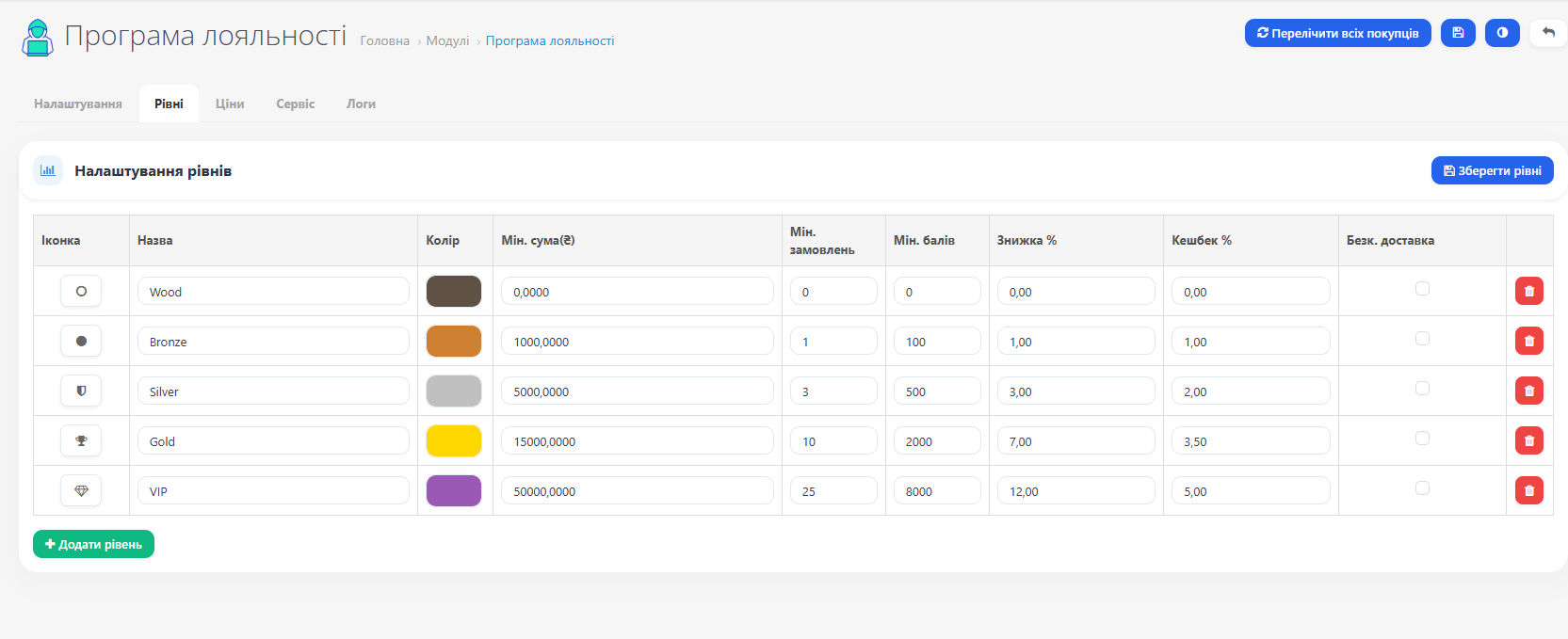
Five levels configured by default: Wood → Bronze → Silver → Gold → VIP.
Each level comes with a set of privileges: discount on all products, cashback percentage, free shipping. The number of levels, their names, icons, and colors are configurable in the admin panel. Need 3 or 10 levels — add as many as you like.
Each level comes with a set of privileges: discount on all products, cashback percentage, free shipping. The number of levels, their names, icons, and colors are configurable in the admin panel. Need 3 or 10 levels — add as many as you like.
▸ Flexible level advancement criteria
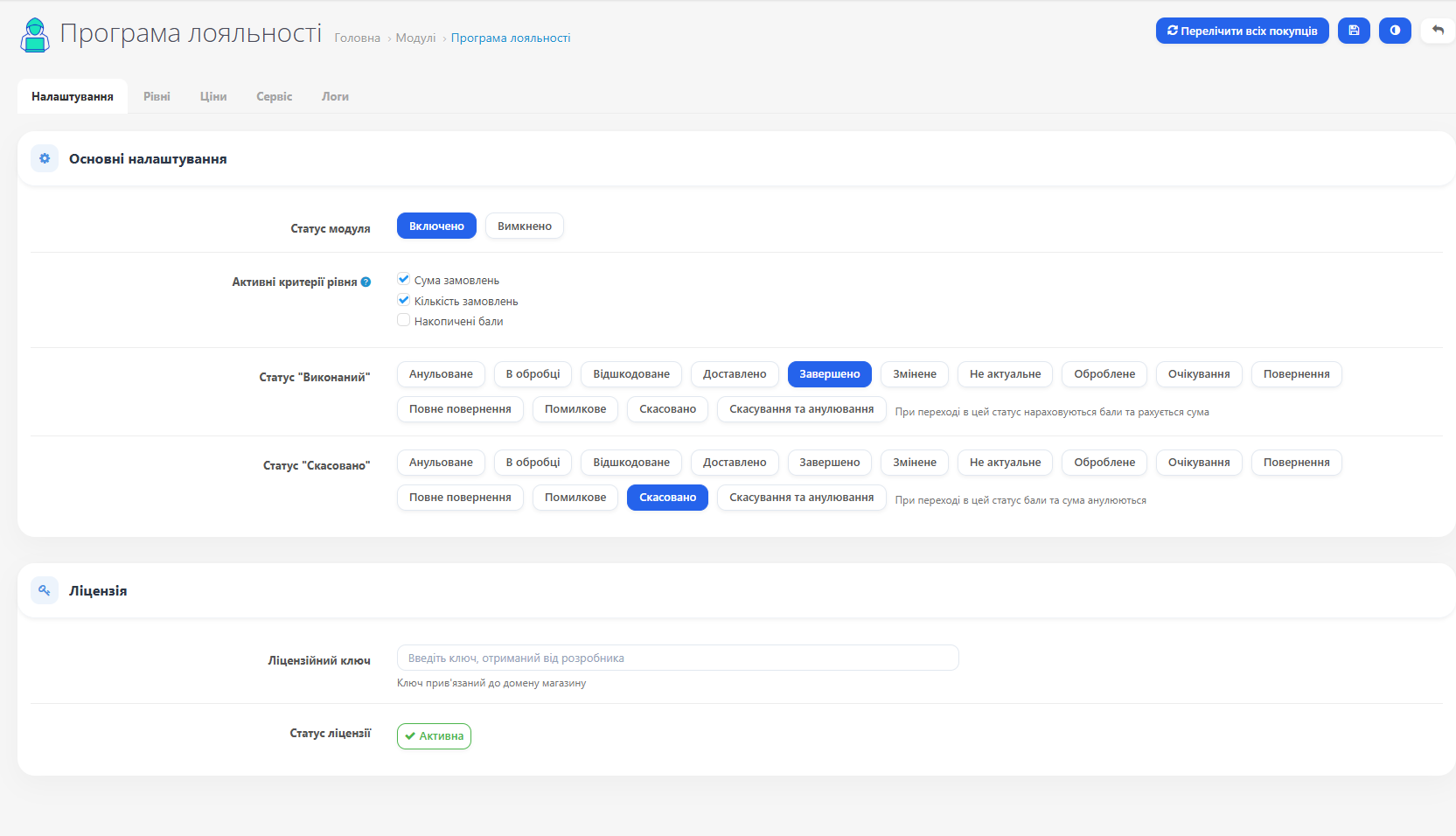
You choose the criteria by which customers move up. Three independent criteria:
Order total — how much the customer spent in total
Number of orders — how many times they made a purchase
Accumulated points — how many bonus points they earned
All enabled criteria must be met simultaneously (AND logic). If only one is enabled, the level is assigned based on that.
Order total — how much the customer spent in total
Number of orders — how many times they made a purchase
Accumulated points — how many bonus points they earned
All enabled criteria must be met simultaneously (AND logic). If only one is enabled, the level is assigned based on that.
▸ Cashback points
After an order is marked as "Completed," the customer automatically receives cashback — a percentage of the order total as bonus points. Each level has its own rate. The higher the level, the greater the return.
Points are spent on a FIFO basis: those earned earliest are spent first. If an order is canceled, unused cashback for that order is automatically revoked. Already-spent points are not refunded.
Points are spent on a FIFO basis: those earned earliest are spent first. If an order is canceled, unused cashback for that order is automatically revoked. Already-spent points are not refunded.
▸ Spending points at checkout
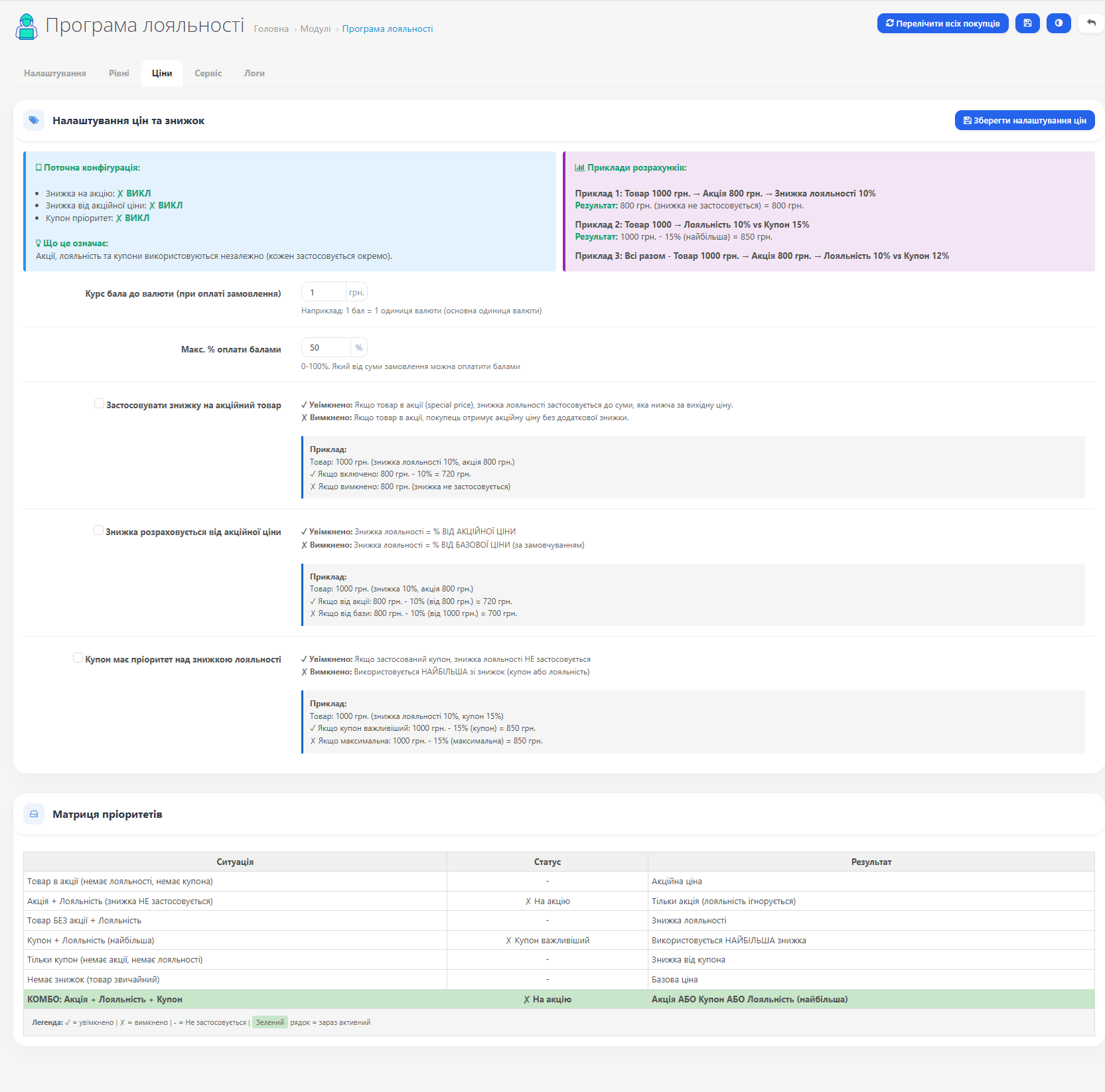
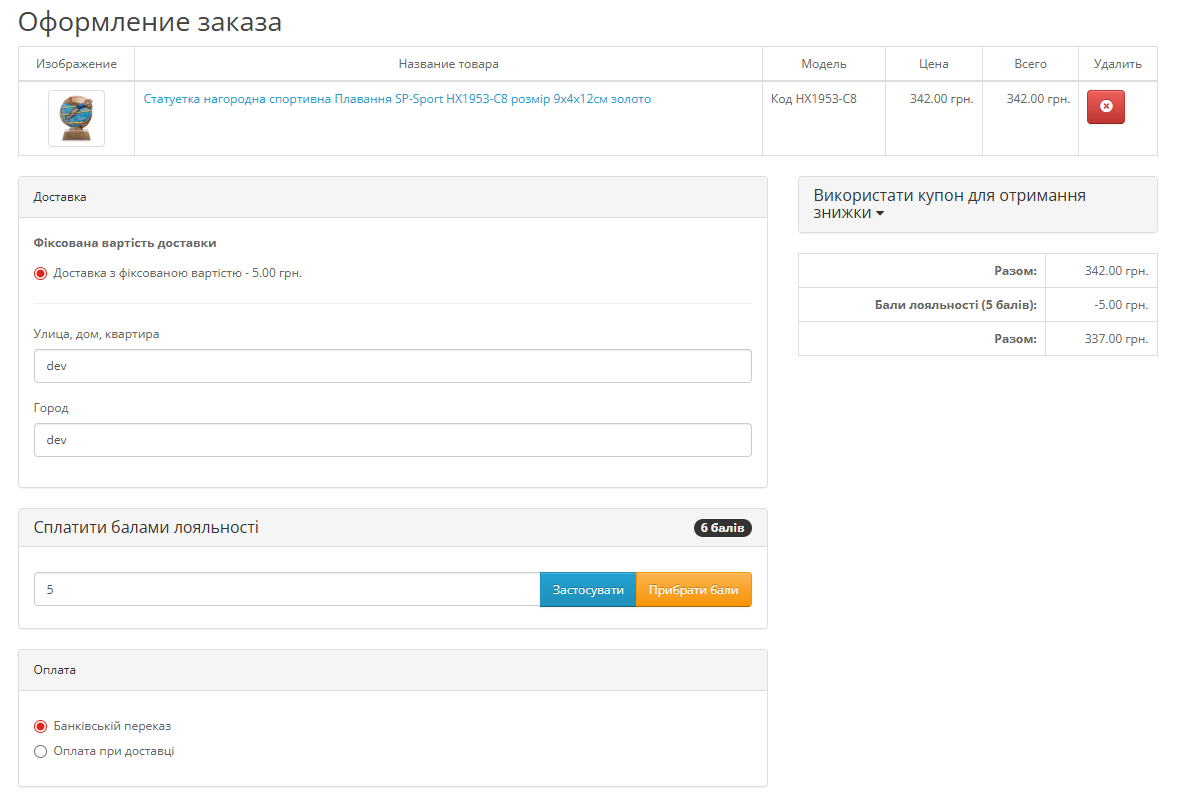
A widget appears on the checkout page where the customer specifies how many points to spend. Points are converted into a discount at a set rate (e.g., 10 points = 1 hryvnia). You can limit the maximum percentage of the order total that can be paid with points.
▸ Product discounts
Customers see reduced prices throughout the store — in the catalog, product page, and cart. The discount is applied automatically without coupons or promo codes.
The module interface displays a discount priority matrix — all possible combinations with the current configuration highlighted. You always know exactly what price the customer will see.
The module interface displays a discount priority matrix — all possible combinations with the current configuration highlighted. You always know exactly what price the customer will see.
▸ Free shipping
Free shipping can be enabled for any level. Customers who reach that level see the shipping discount directly in the order total. The level name is displayed in the discount line.
▸ Customer account
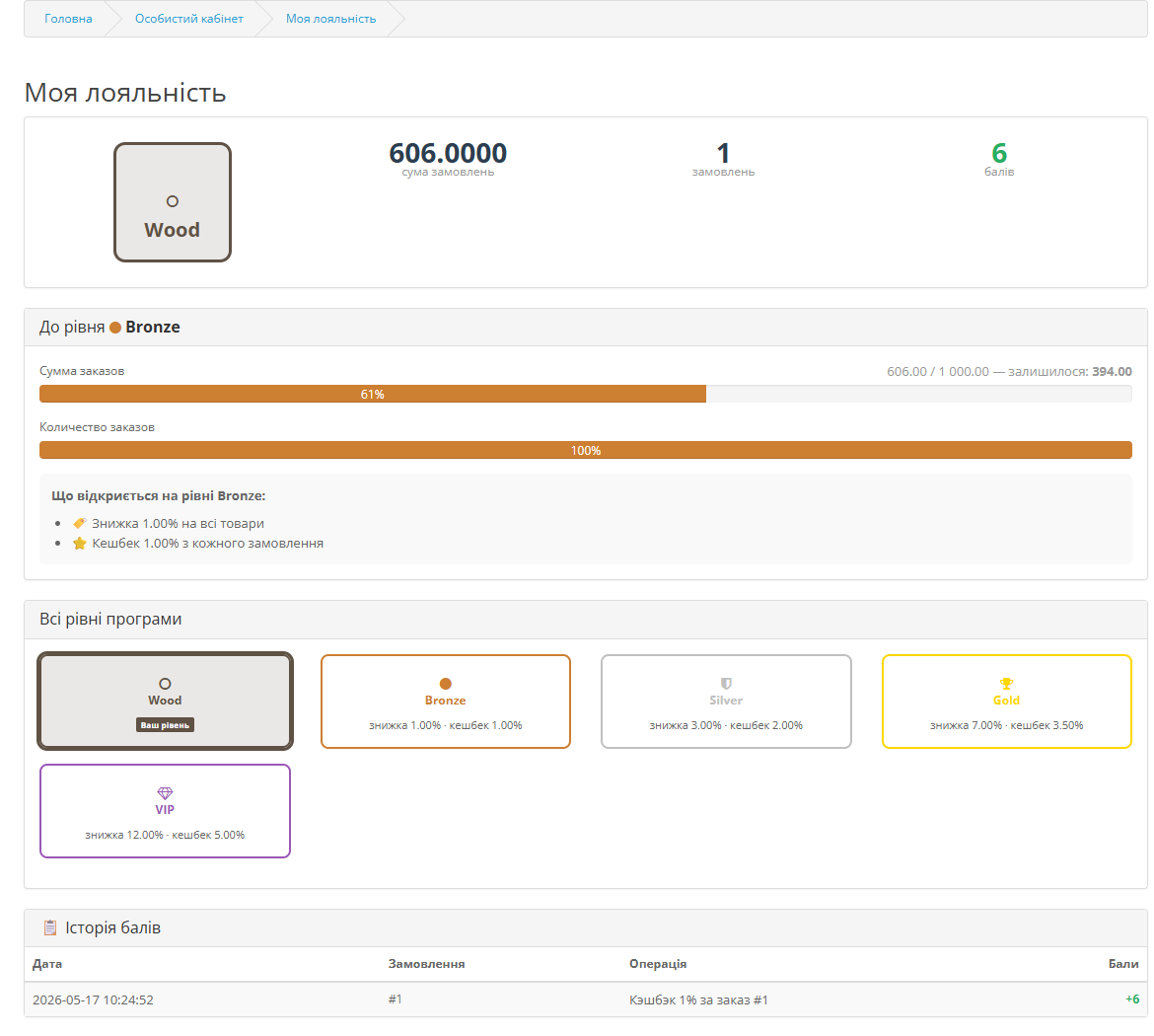
A 'My Loyalty' page appears in the customer's account:
Current level with icon and color
Active privileges: discount, cashback, free shipping
Progress toward the next level for each criterion (progress bars)
Next level preview — what will unlock upon leveling up (motivates more purchases)
All program levels with requirements and privileges
Point balance and full history of accruals and debits
Current level with icon and color
Active privileges: discount, cashback, free shipping
Progress toward the next level for each criterion (progress bars)
Next level preview — what will unlock upon leveling up (motivates more purchases)
All program levels with requirements and privileges
Point balance and full history of accruals and debits
▸ Administrator tools
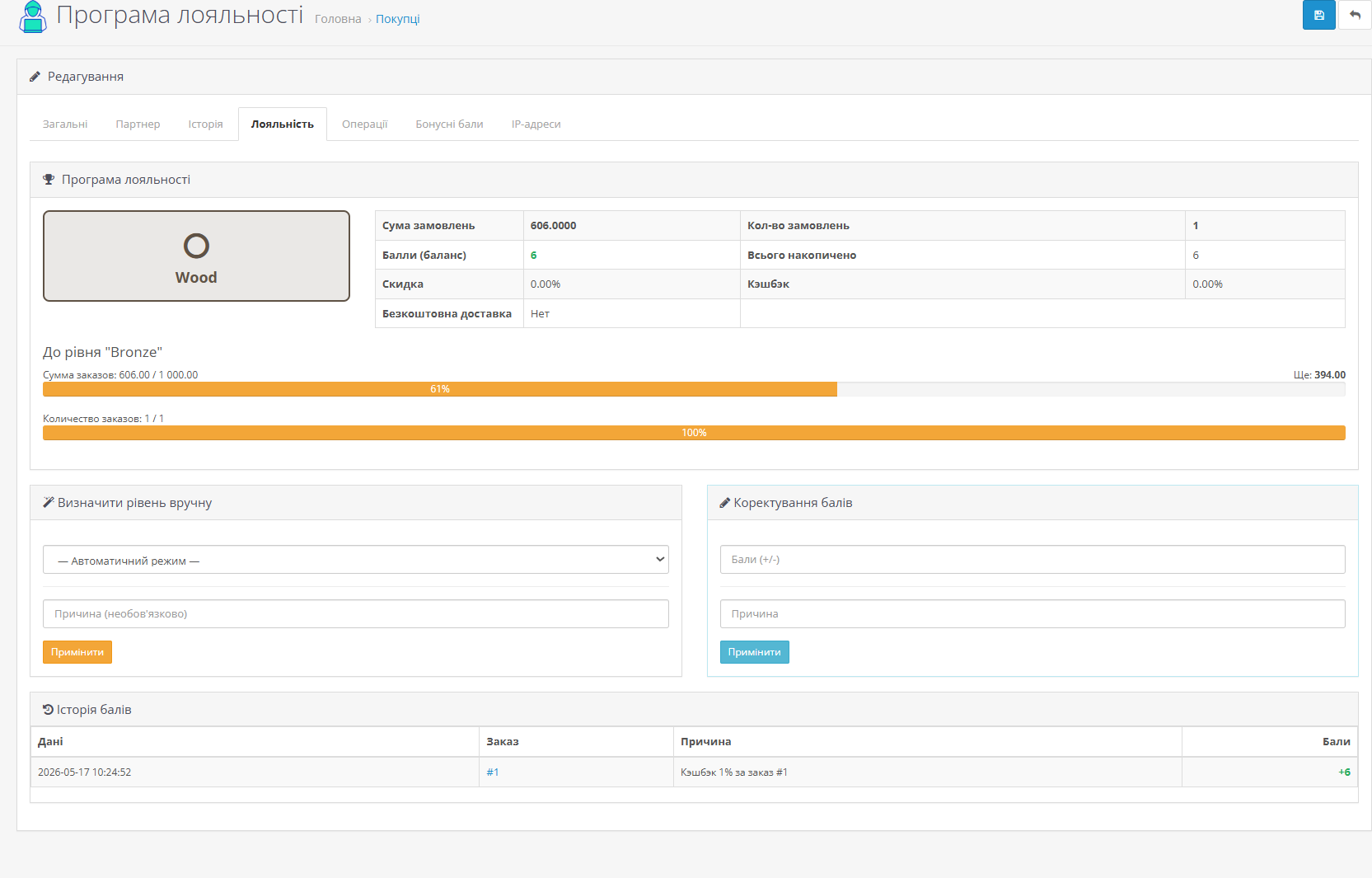
Customer management — a 'Loyalty' tab in the customer card: level, statistics, point history. Assign a level manually with a reason.
Point adjustment — add or remove points from a specific customer.
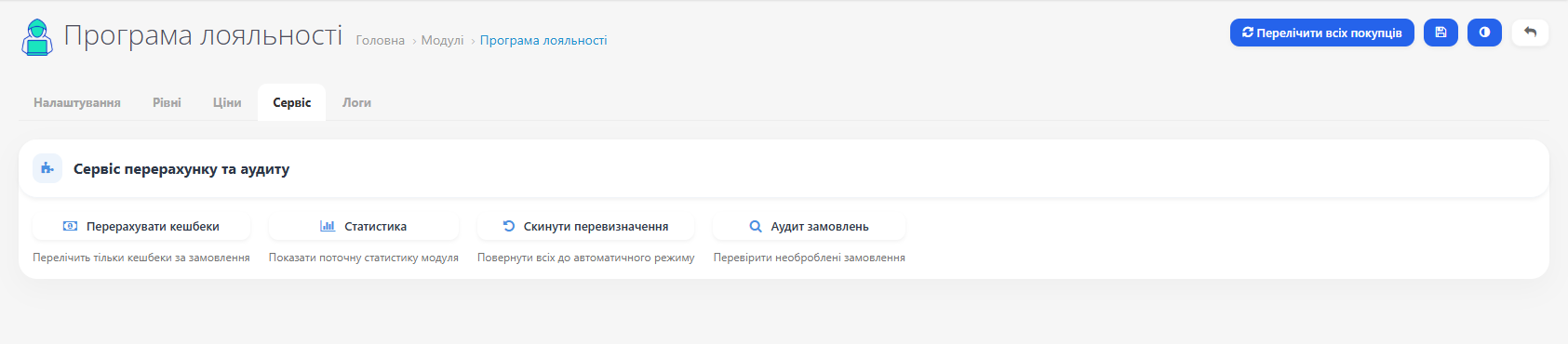
Recalculate all customers — one button updates levels and statistics for the entire database. Shows a detailed report on completion.
Order audit — finds completed orders not processed by the loyalty program.
Module statistics — total customers in the program, manual mode count, total spent, total points.
Point adjustment — add or remove points from a specific customer.
Recalculate all customers — one button updates levels and statistics for the entire database. Shows a detailed report on completion.
Order audit — finds completed orders not processed by the loyalty program.
Module statistics — total customers in the program, manual mode count, total spent, total points.