 UNCLESAM
OC2.3 / OC3
02
uncle_accountCustom Account
Custom Account is an OpenCart module that gives you full control over your customer's personal account. Rename standard pages, add descriptions and SEO URLs, create new information pages with any content, configure menus separately for authorized users, guests, and customer groups — all through a convenient admin panel without editing code.
OVERVIEW
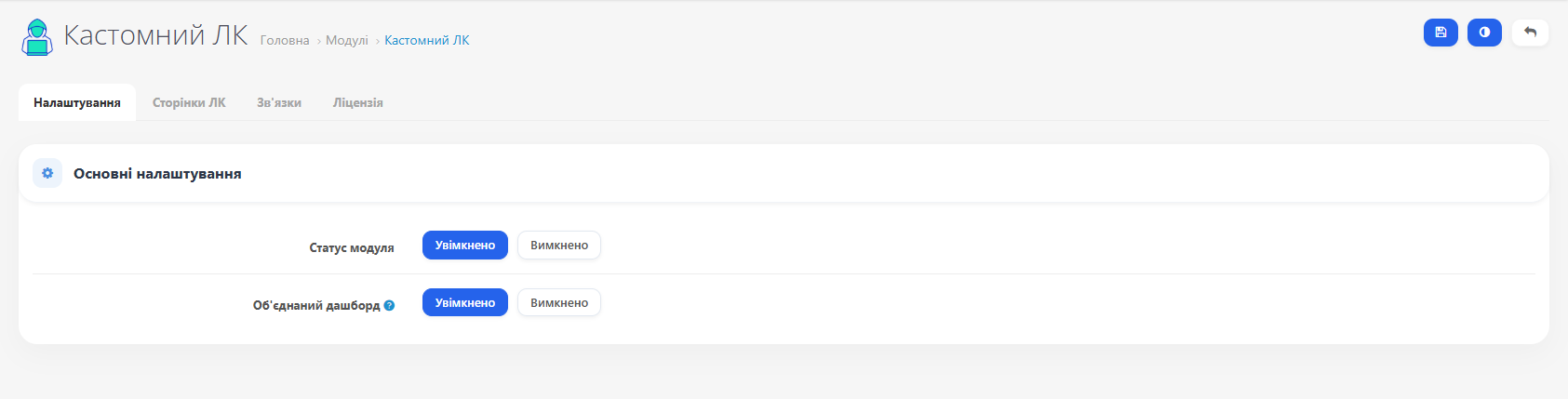
Custom Account is a complete replacement for the standard OpenCart dashboard. The module gives store owners full control over their account pages: rename them, add descriptions, configure SEO, hide unnecessary sections, create new pages with any content, and flexibly manage navigation for different user groups.
SCREENSHOTS
FEATURES
▸ Account page management
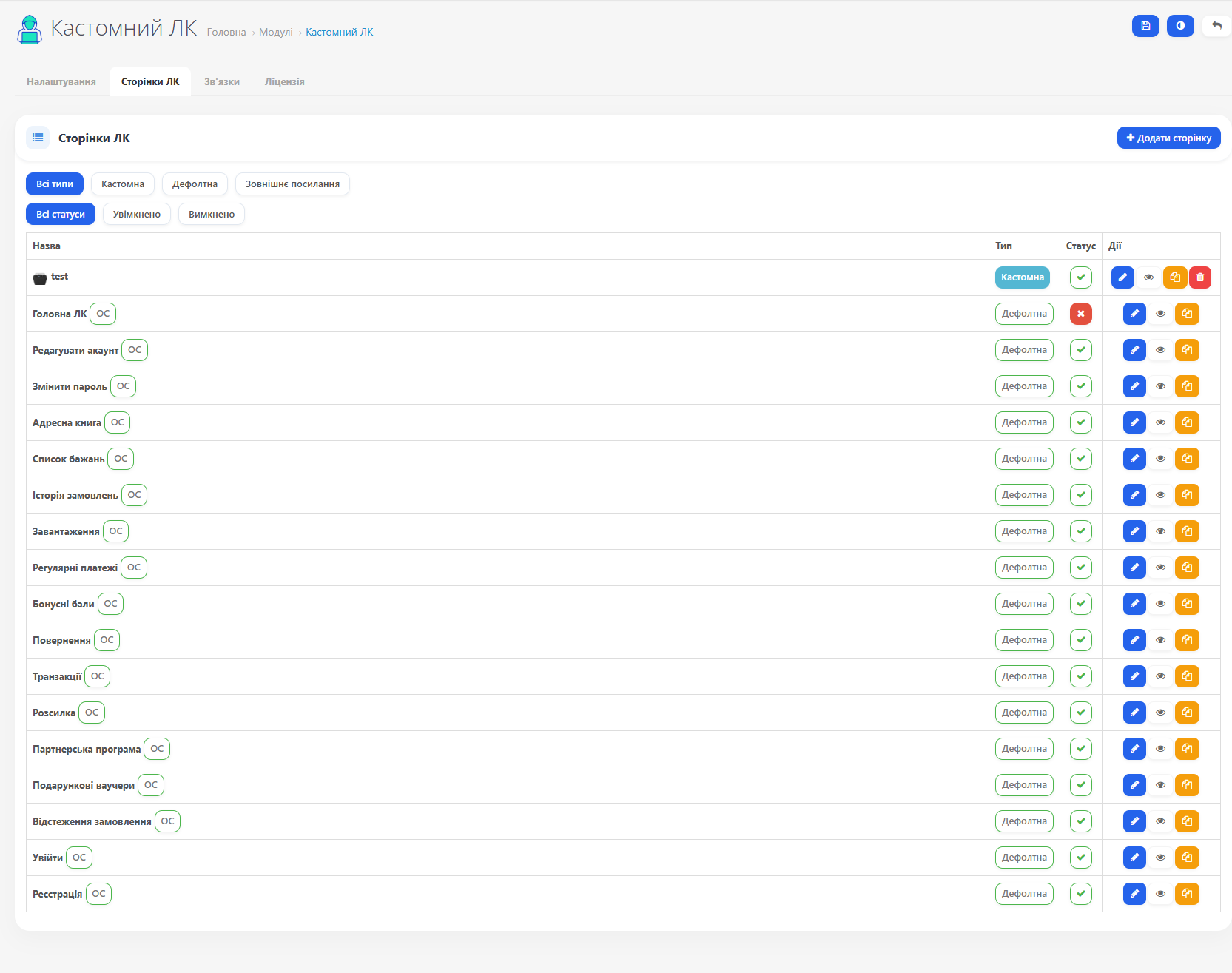
Rename pages — change 'Return Item' to any other name. Reflected in the page title and navigation menu.
Description — add text via the visual editor, displayed below the page title.
SEO URL — set a user-friendly address: /returns, /orders, /profile. Works with standard SEO and SEO Pro.
Status and visibility — enable or disable pages. A disabled page redirects to the account home page.
Description — add text via the visual editor, displayed below the page title.
SEO URL — set a user-friendly address: /returns, /orders, /profile. Works with standard SEO and SEO Pro.
Status and visibility — enable or disable pages. A disabled page redirects to the account home page.
▸ Custom pages
Create any informational pages inside the customer account: FAQs, loyalty program terms, instructions, customer promotions.
Visual editor — a full WYSIWYG editor for content formatting.
Unique slug — each page gets its own URL: /my-bonuses, /referral.
Custom CSS and JS — add styles or scripts specific to a particular page.
Multilingual — separate title and description for each store language.
Visual editor — a full WYSIWYG editor for content formatting.
Unique slug — each page gets its own URL: /my-bonuses, /referral.
Custom CSS and JS — add styles or scripts specific to a particular page.
Multilingual — separate title and description for each store language.
▸ Profile dashboard
A unified profile page combines data editing, password change, and newsletter subscription in one place.
Optional — when activated, automatically intercepts navigation to /account/account and redirects to the dashboard.
Optional — when activated, automatically intercepts navigation to /account/account and redirects to the dashboard.
▸ External links
Add a link to an external resource to the account menu: a partner website, mobile app, or Telegram bot. Set the opening target: current tab or new tab.
▸ Menu management
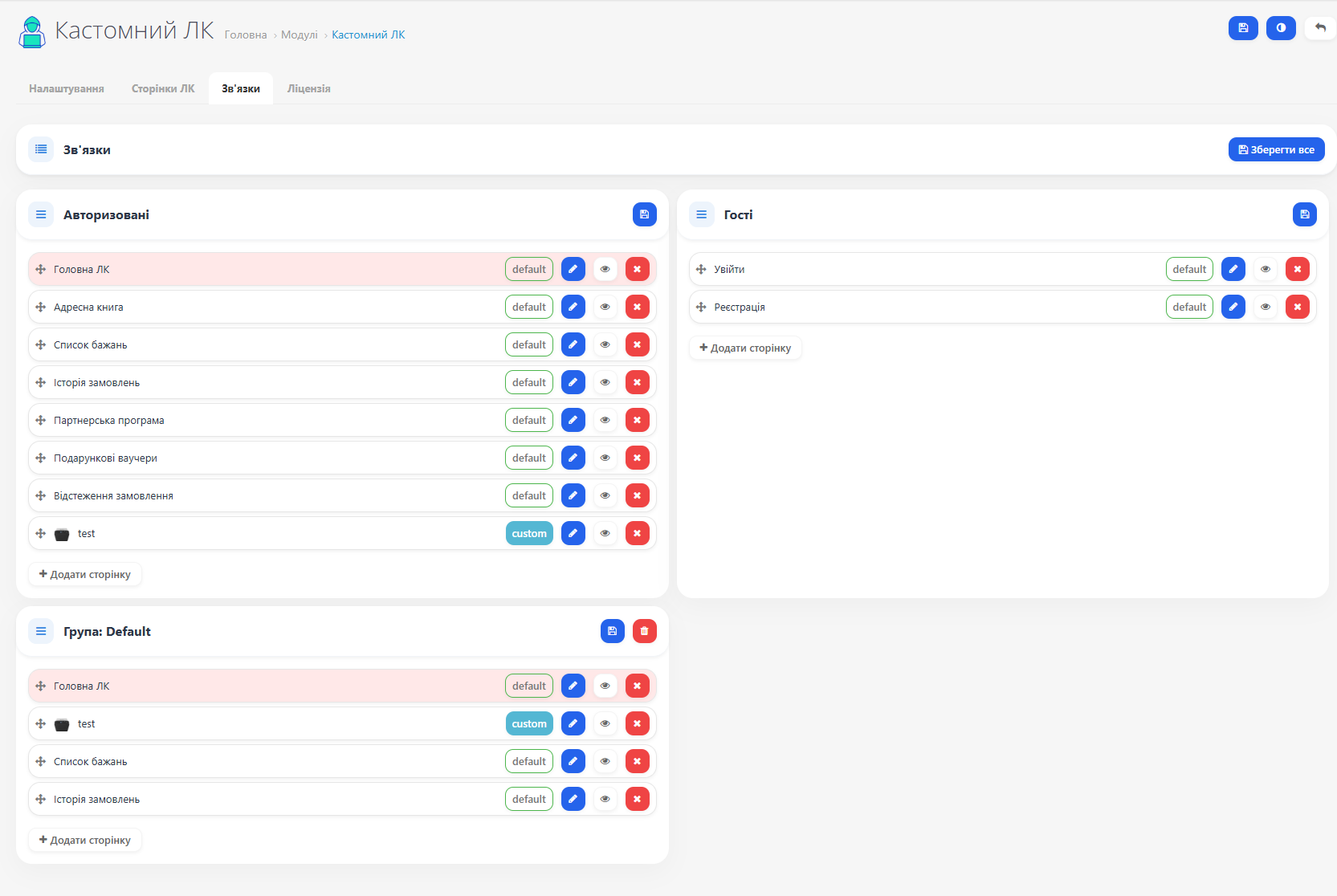
Three menu types:
Authorized — displayed to logged-in users
Guests — displayed to unregistered users (e.g., 'Login' and 'Register')
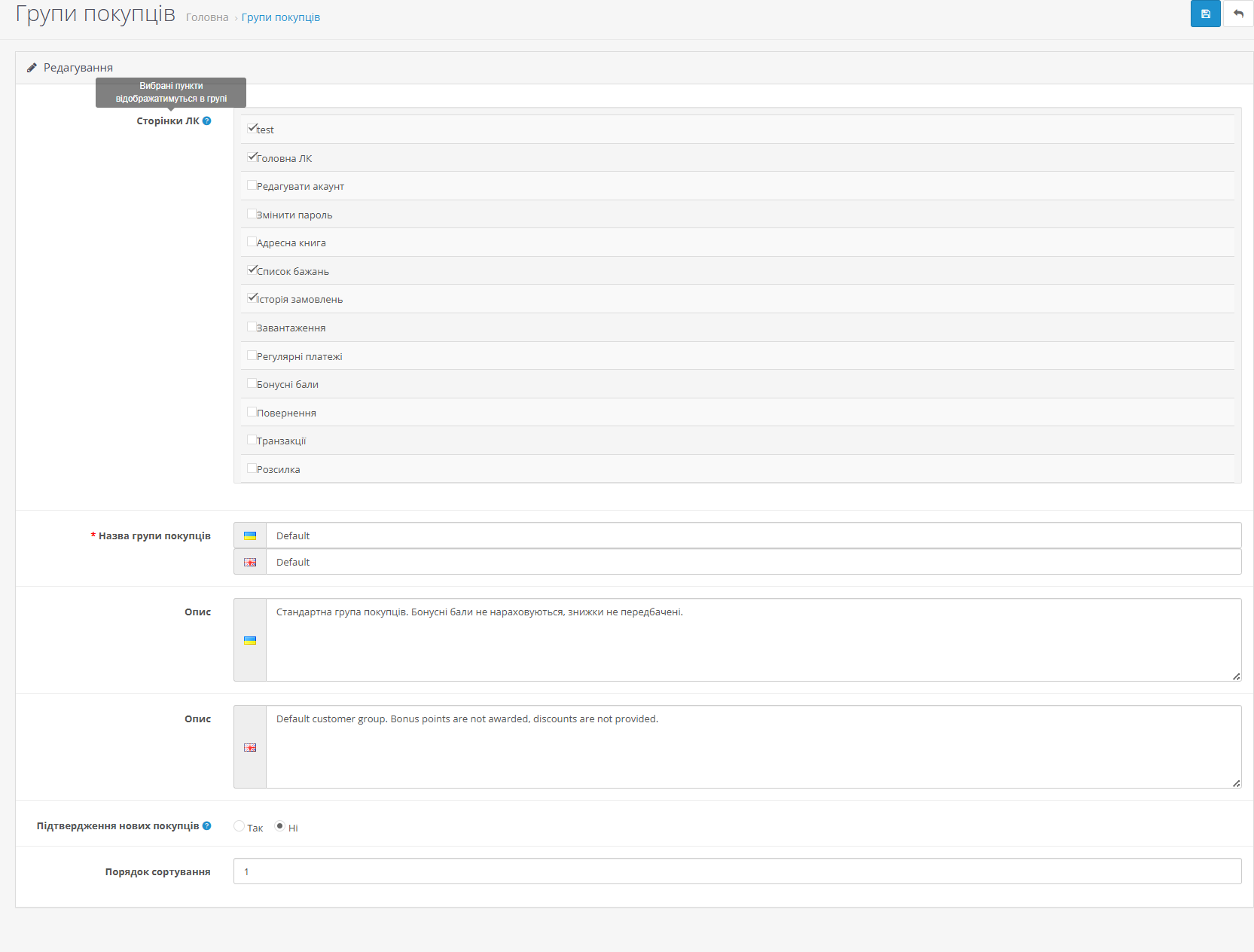
Customer Group — custom menu for a specific group, overrides the main menu
Drag-and-drop — drag items to reorder. Icons — assign an icon to each item. Group visibility — restrict page access to specific customer groups.
Authorized — displayed to logged-in users
Guests — displayed to unregistered users (e.g., 'Login' and 'Register')
Customer Group — custom menu for a specific group, overrides the main menu
Drag-and-drop — drag items to reorder. Icons — assign an icon to each item. Group visibility — restrict page access to specific customer groups.
▸ SEO
Support for the standard OpenCart SEO URL mechanism and SEO Pro (OC 2.3).
Correct URLs for all page types: default, custom, and dashboard.
SEO URLs are preserved when reinstalling the module.
Automatic 301 redirect when changing the page URL.
Correct URLs for all page types: default, custom, and dashboard.
SEO URLs are preserved when reinstalling the module.
Automatic 301 redirect when changing the page URL.
▸ Technical features
Page duplication — create a copy with one click.
Automatic template generation — template files are created automatically when adding a custom page.
Configurable base template — set the base template for new pages.
Automatic template generation — template files are created automatically when adding a custom page.
Configurable base template — set the base template for new pages.