 UNCLESAM
OC2.3 / OC3
07
uncle_analyticsAnalytics
The analytics module transforms raw store data into clear reports right in the admin panel. No external services, no data leaks — everything is calculated on your server.
OVERVIEW
Analytics — comprehensive store analytics right in the OpenCart admin panel. No Google Analytics, no Yandex.Metrica, no data transfer to third-party servers. All data stays on your hosting.
SCREENSHOTS
FEATURES
▸ Dashboard
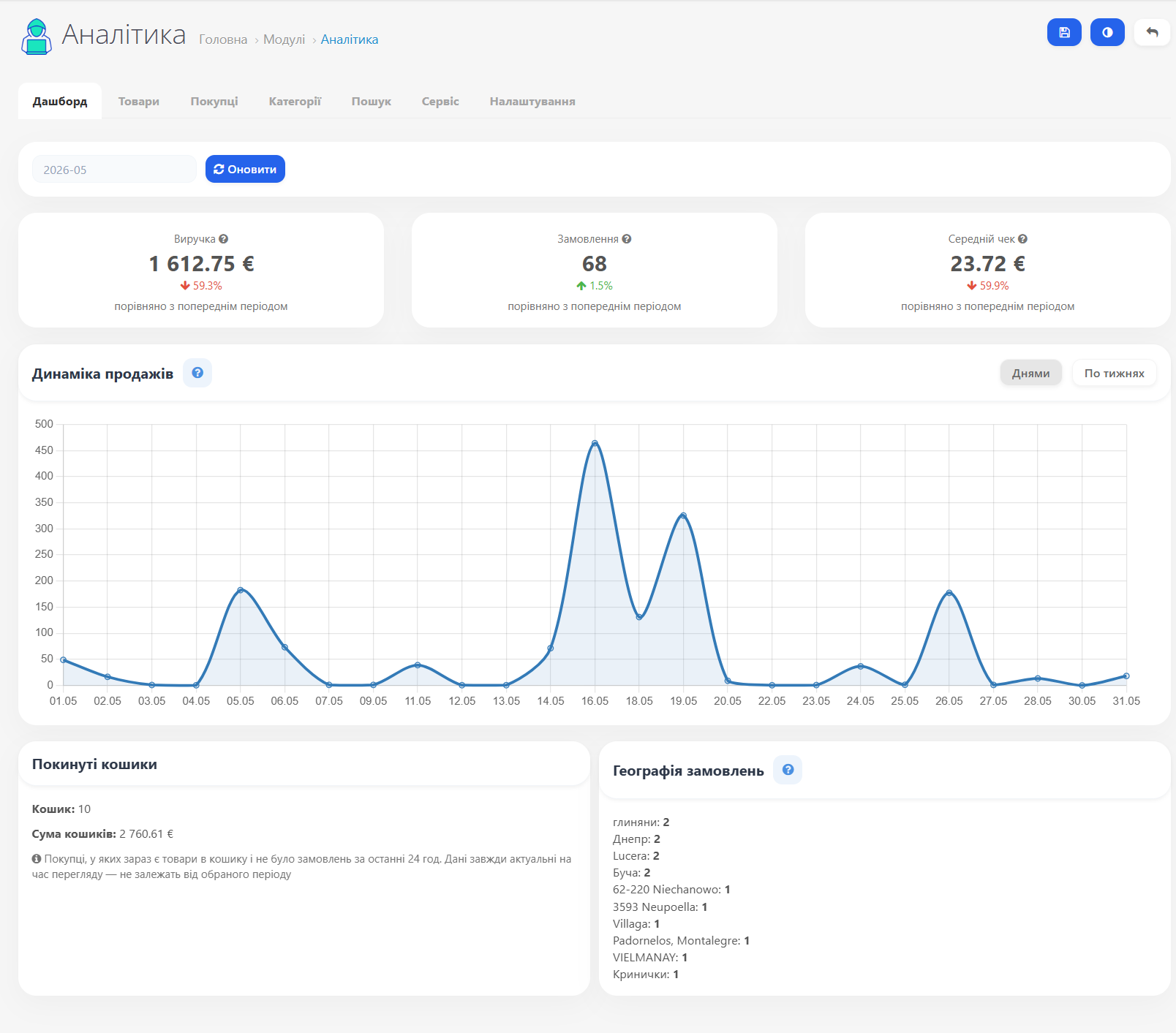
Revenue, order count, and average order value for the selected month.
Dynamics relative to the previous period (percentage with growth/decline arrows).
Sales chart by day or week.
Abandoned carts: number of customers with items in cart and total amount.
Order geography: top cities by order count.
Dynamics relative to the previous period (percentage with growth/decline arrows).
Sales chart by day or week.
Abandoned carts: number of customers with items in cart and total amount.
Order geography: top cities by order count.
▸ Products
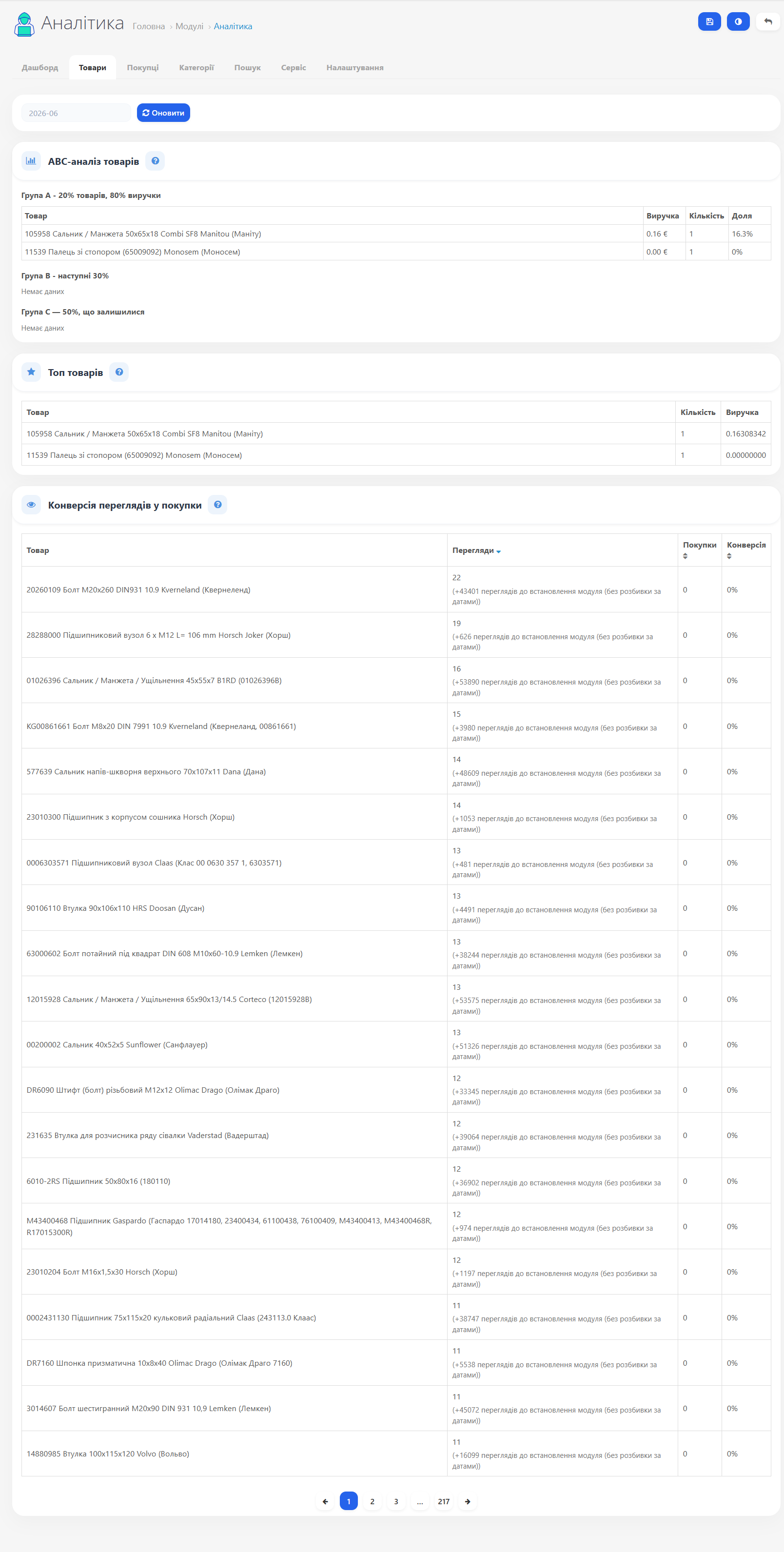
ABC analysis — groups all products by share of total revenue: A — top 80%, B — next 15%, C — remaining 5%.
Top 20 products by revenue for the selected period.
View-to-purchase conversion — table with unique views, purchases, and conversion rate. Pagination, sorting by clicking column headers.
Top 20 products by revenue for the selected period.
View-to-purchase conversion — table with unique views, purchases, and conversion rate. Pagination, sorting by clicking column headers.
▸ Customers
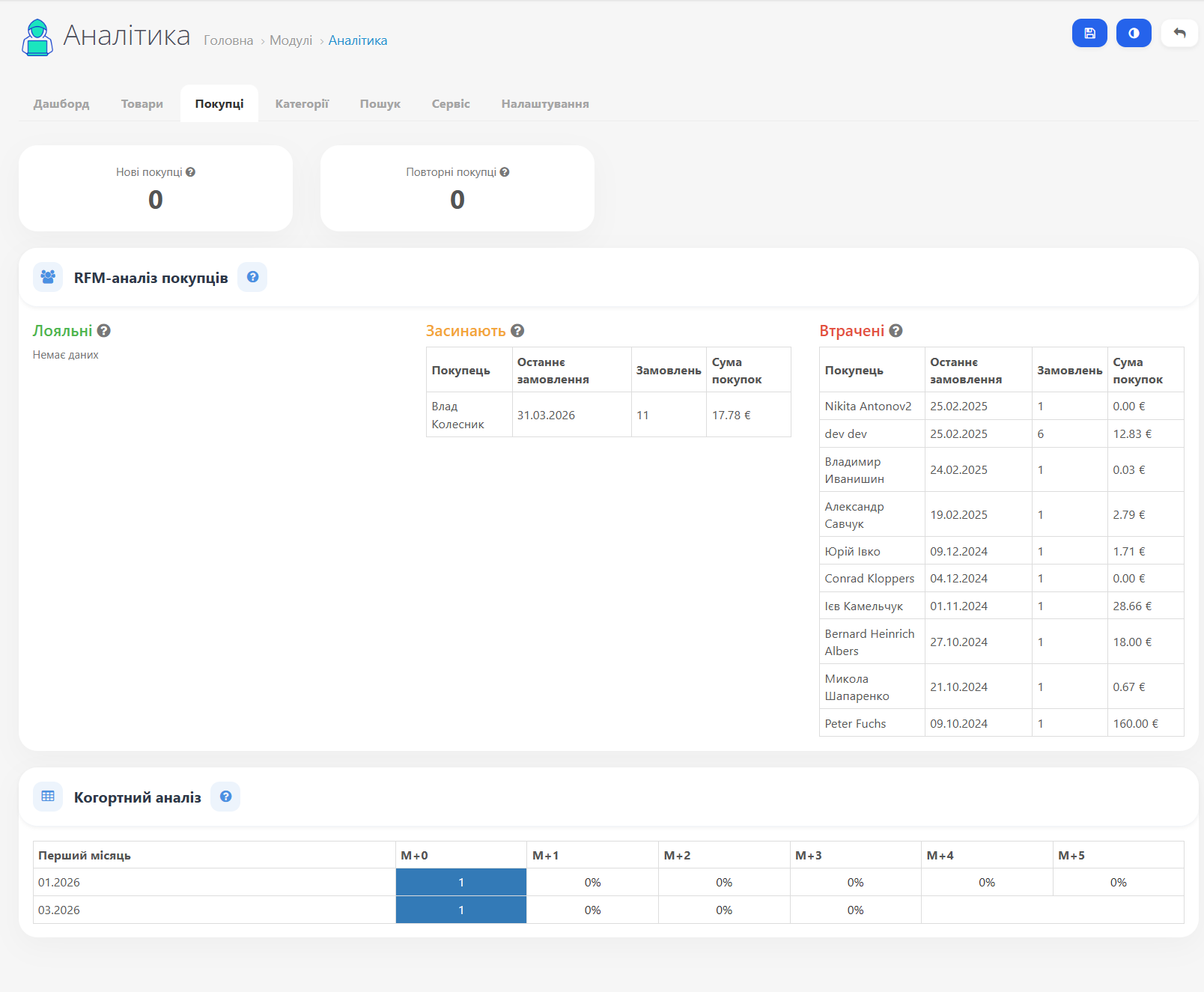
Counters for new and repeat buyers for the current month.
RFM segmentation — divides buyers into "Loyal," "Sleeping," and "Lost" based on recency and frequency of purchases. Thresholds are configurable.
Cohort retention analysis — shows what % of buyers from each starting month returned in M+1, M+2, etc. Heatmap with intensity highlighting.
RFM segmentation — divides buyers into "Loyal," "Sleeping," and "Lost" based on recency and frequency of purchases. Thresholds are configurable.
Cohort retention analysis — shows what % of buyers from each starting month returned in M+1, M+2, etc. Heatmap with intensity highlighting.
▸ Search and categories
Search — top queries that returned products. Queries with no results — a signal of gaps in the catalog or search issues.
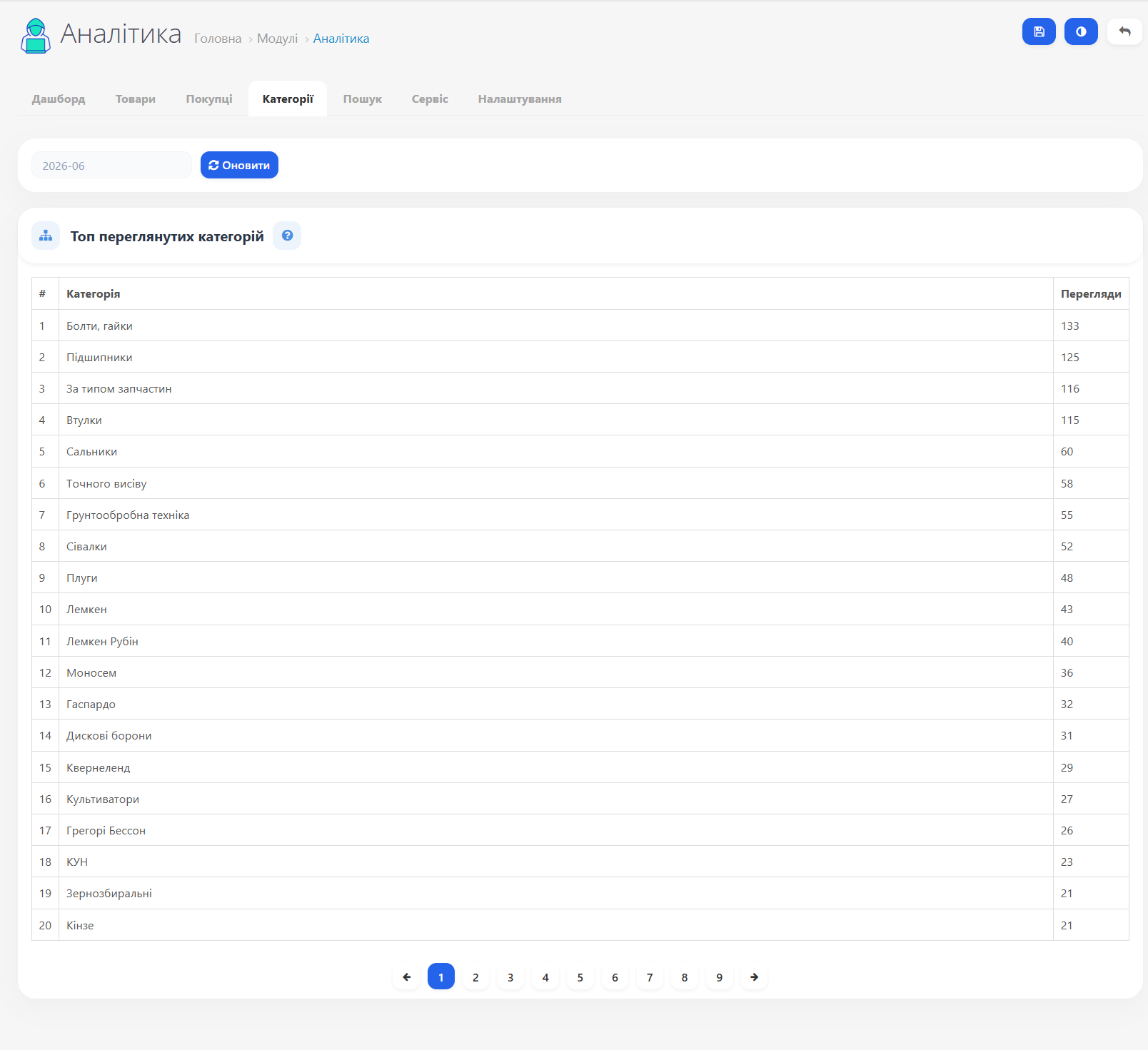
Categories — top viewed categories for the selected period with unique view counts.
Categories — top viewed categories for the selected period with unique view counts.
▸ View tracking
Product and category views, as well as cart additions, are recorded via PHP injection into catalog controllers (ocmod). No JavaScript, no separate HTTP requests.
Tracks: product page views, category views, add-to-cart events. Each unique view is recorded at most once per hour per session (rate limiting).
Tracks: product page views, category views, add-to-cart events. Each unique view is recorded at most once per hour per session (rate limiting).
▸ Cache system
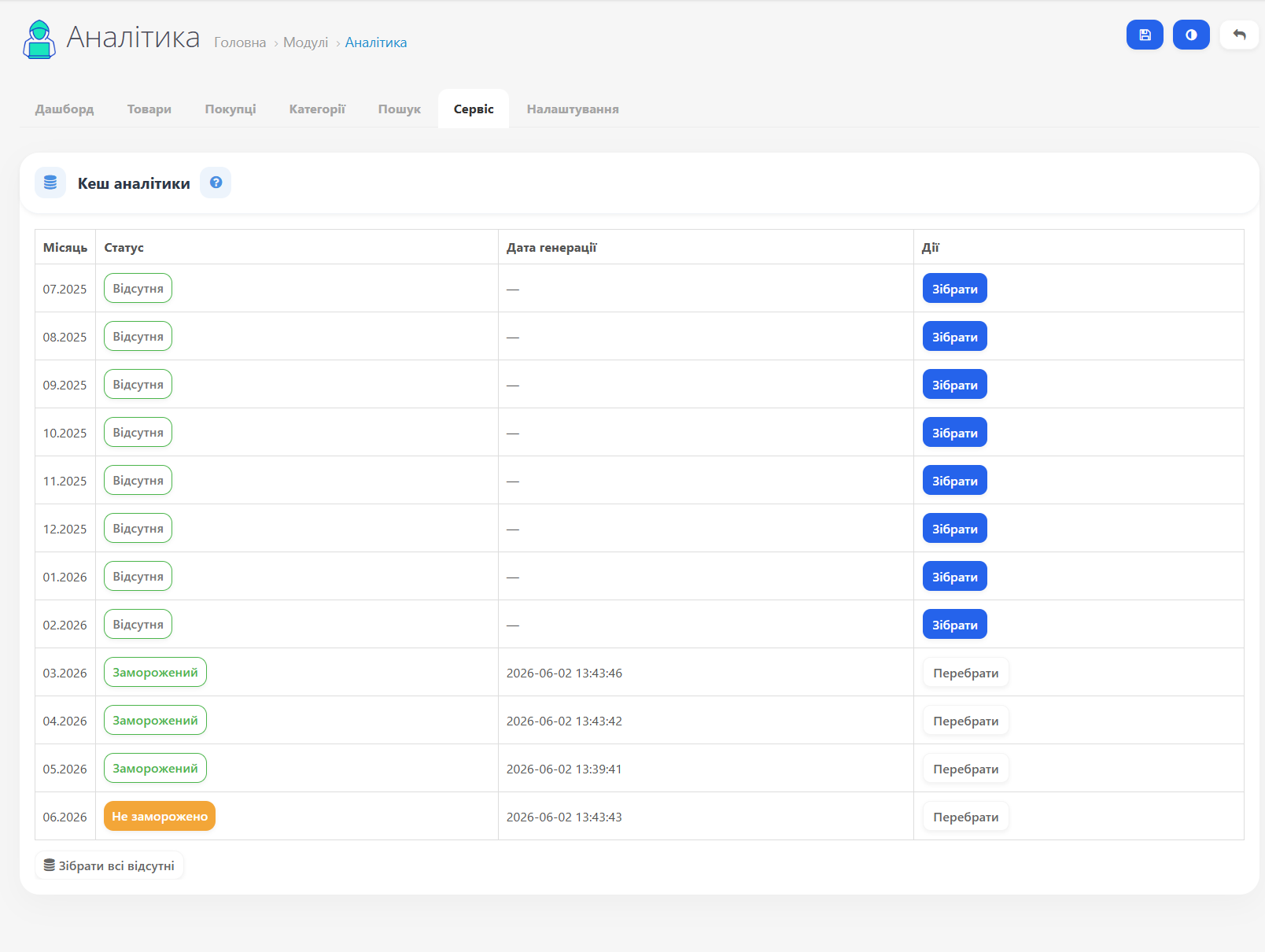
Past months are cached as JSON files. The current month is always read from the database in real time.
Not frozen — data collected, can be rebuilt
Frozen — data fixed, won't change even on rebuild
Missing — cache not built, slower
Recommended workflow: at the start of each month, freeze the previous one → run smart event cleanup.
Not frozen — data collected, can be rebuilt
Frozen — data fixed, won't change even on rebuild
Missing — cache not built, slower
Recommended workflow: at the start of each month, freeze the previous one → run smart event cleanup.
▸ Service and settings
Cache table — status by month, "Collect"/"Rebuild" buttons, "Collect all missing" button.
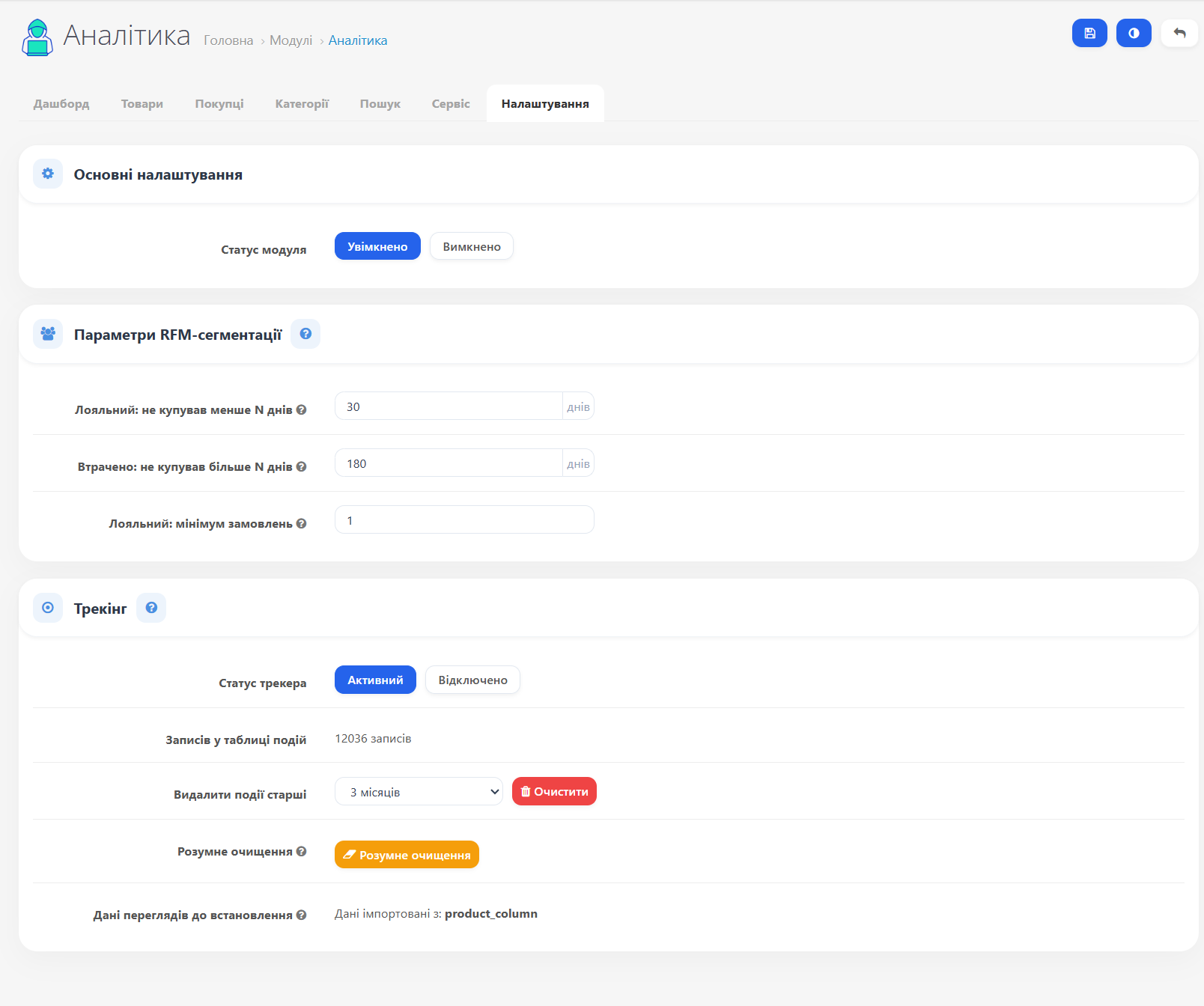
Tracker — enable/disable event recording, manage table size.
Smart cleanup — removes raw events only for frozen months (data preserved in cache).
RFM thresholds — configure day counts for "Loyal" and "Lost" segments.
Tracker — enable/disable event recording, manage table size.
Smart cleanup — removes raw events only for frozen months (data preserved in cache).
RFM thresholds — configure day counts for "Loyal" and "Lost" segments.
CHANGELOG
New features:
- The JS tracker has been replaced with PHP injection via ocmod. No unnecessary HTTP requests, no dependence on browser settings or ad blockers. Views and cart additions are recorded directly on the server.
- A "Categories" tab has been added, showing the top viewed categories for the selected period with pagination.
- Removes raw tracker events only for months with frozen caches - data in JSON files is preserved, the table remains compact.
- All financial indicators are normalized to the store's base currency via total / currency_value.