 UNCLESAM
OC2.3 / OC3 / OC4
06
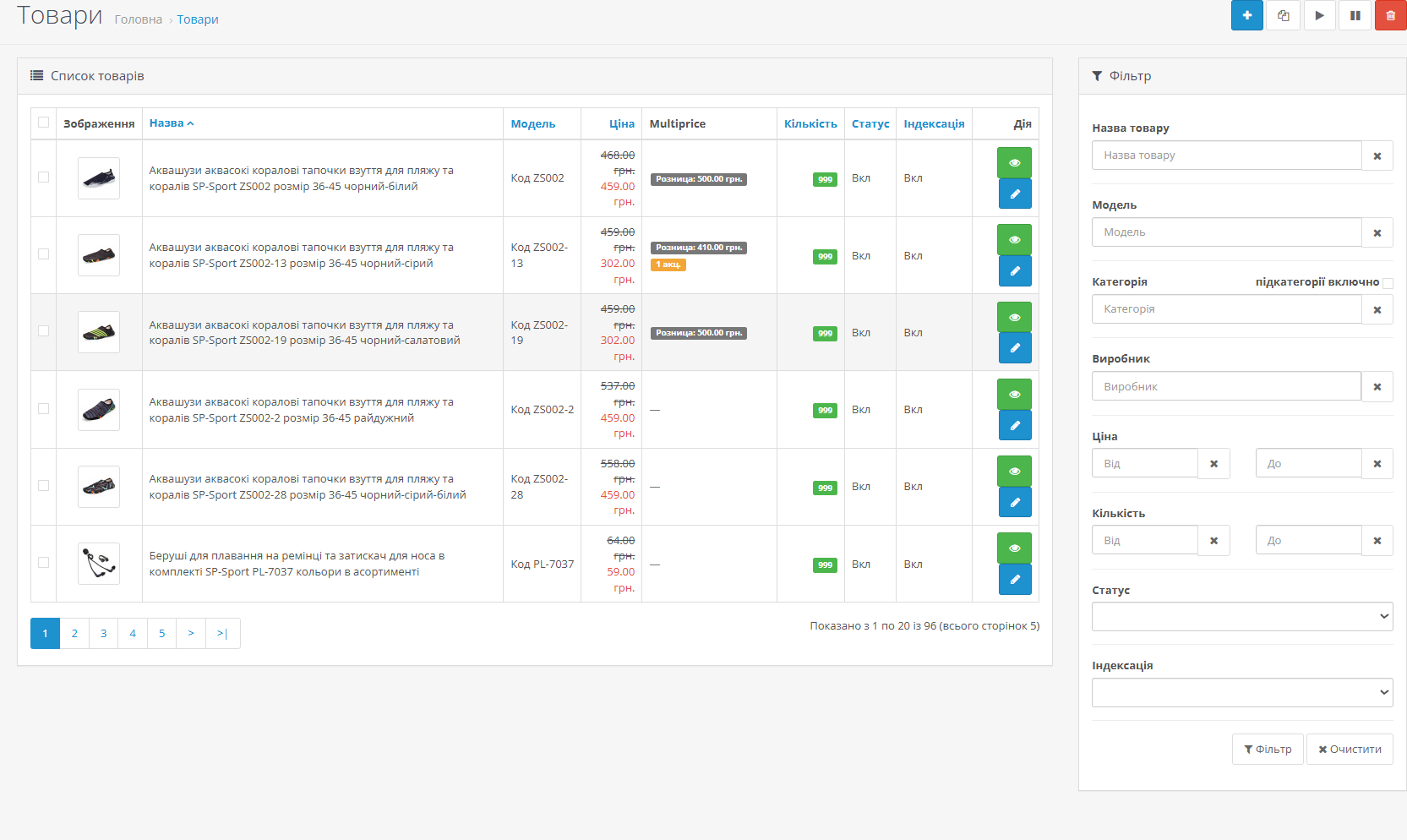
uncle_pricesMultiprices
The module lets you create an unlimited number of price fields (retail, wholesale, purchase, and any other), link them to customer groups, and automatically show each group their price — everywhere on the site: catalog, product page, and cart.
OVERVIEW
Standard OpenCart has only one product price. If you need to show different prices to different customers — retail, wholesale, dealers, VIP clients — you have to install multiple modules or use workarounds.
Multiprices solves this systematically: you create custom price fields, assign them to customer groups, fill in prices on the product page — and the module automatically shows each customer the right price everywhere on the site.
SCREENSHOTS
FEATURES
▸ Key features
Unlimited price fields — Retail, Wholesale, Purchase, Dealer, and any others
Link to customer groups — each field linked to one or more groups with configurable priority
Price substitution everywhere — catalog listing, product page, cart, checkout
Promotional prices per field — like standard OC promotions, but per field with group and date range
Safe fallback — if a field is empty or the module is disabled, the standard OC price is shown. Products are never hidden.
Link to customer groups — each field linked to one or more groups with configurable priority
Price substitution everywhere — catalog listing, product page, cart, checkout
Promotional prices per field — like standard OC promotions, but per field with group and date range
Safe fallback — if a field is empty or the module is disabled, the standard OC price is shown. Products are never hidden.
▸ How it works
When opening a product page, the module determines the customer's group and finds the active price field. If found and filled, it overrides the standard OC price.
Example:
Retail group → Retail price field → 199 UAH
Wholesale group → Wholesale price field → 150 UAH
Dealer group → active promotion → 120 UAH (instead of 130 UAH)
Guest → standard OC price
Example:
Retail group → Retail price field → 199 UAH
Wholesale group → Wholesale price field → 150 UAH
Dealer group → active promotion → 120 UAH (instead of 130 UAH)
Guest → standard OC price
▸ Price field management
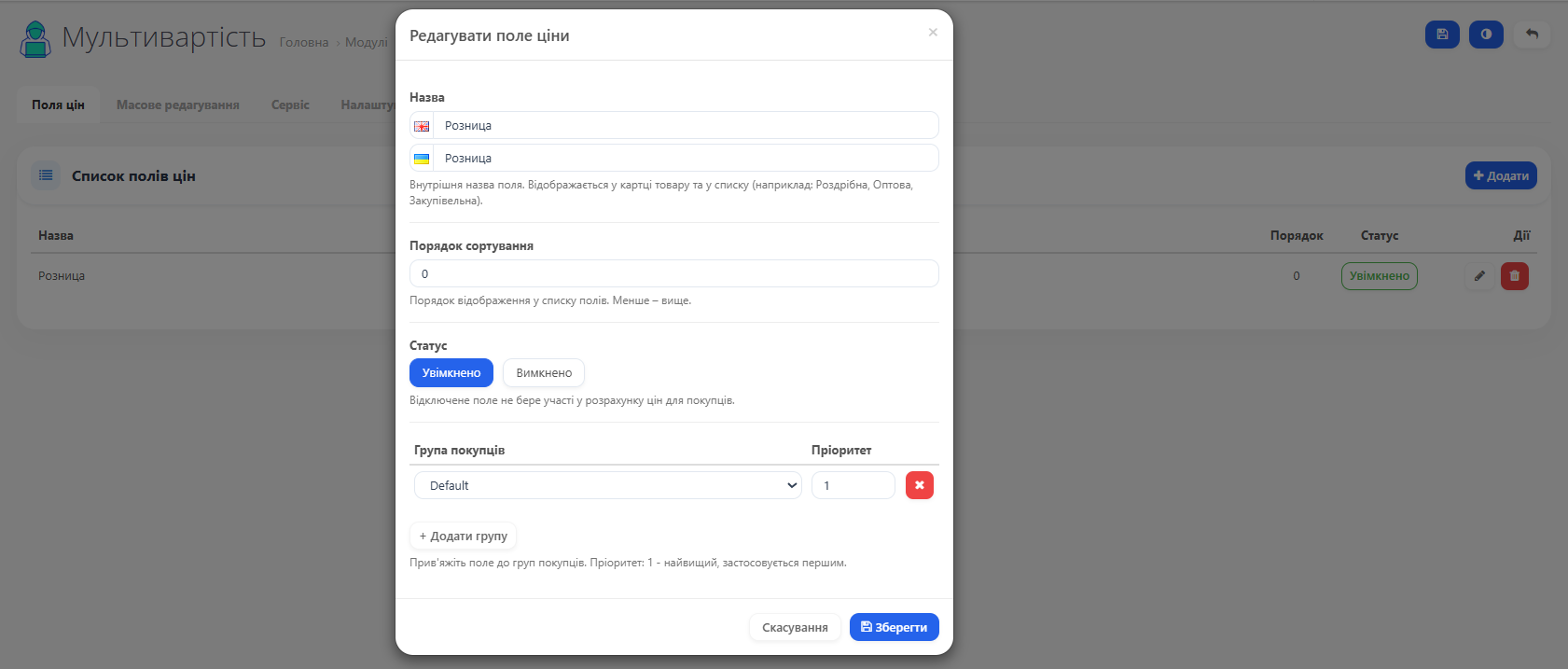
Create, edit, delete, sort. For each field you configure:
Name (multilingual)
Customer group links with individual priorities
Status (enabled/disabled)
When deleting a field with existing product prices, the system warns about the number of affected products and requires confirmation.
Name (multilingual)
Customer group links with individual priorities
Status (enabled/disabled)
When deleting a field with existing product prices, the system warns about the number of affected products and requires confirmation.
▸ Bulk price editing
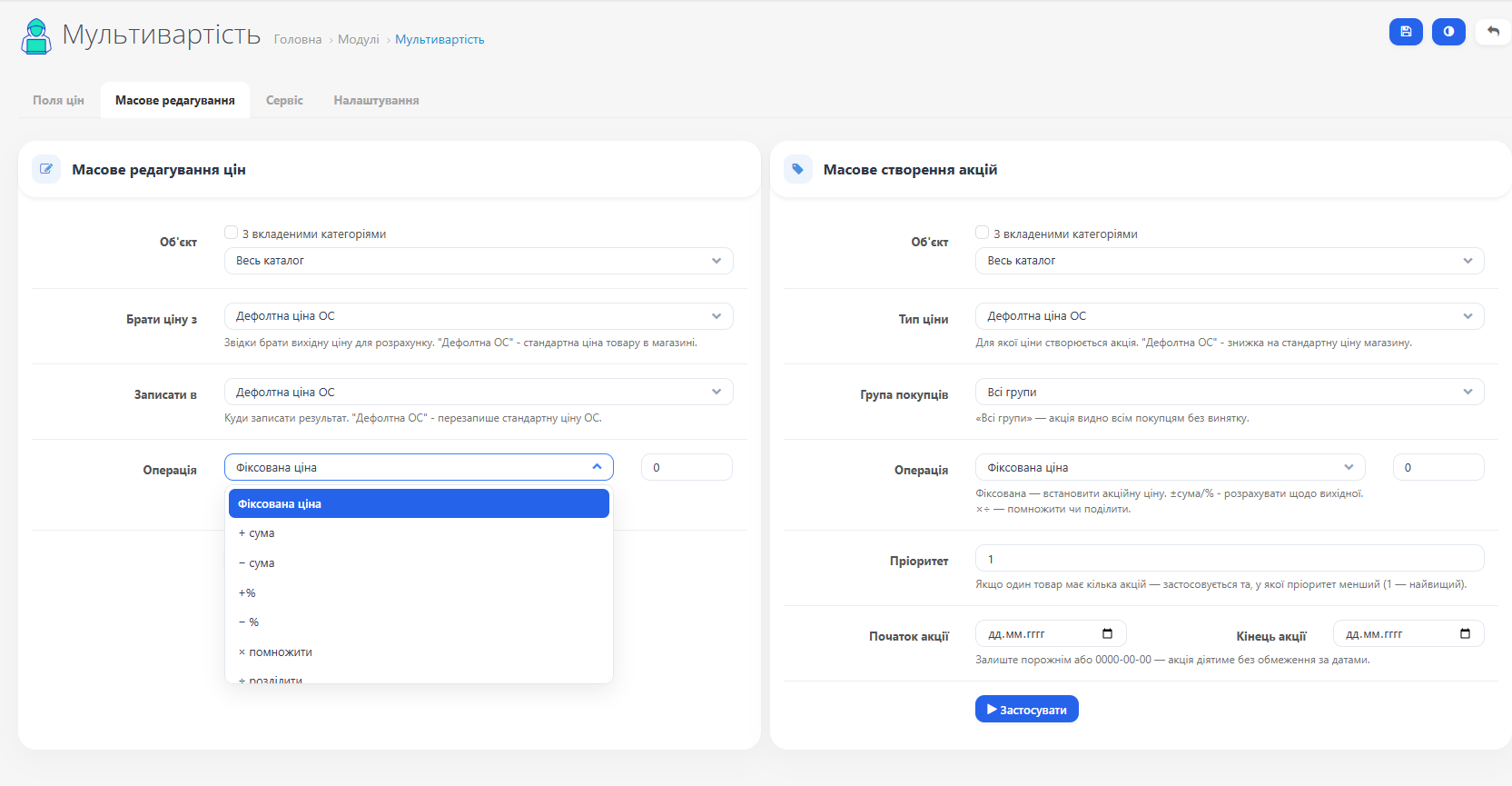
Batch price updates for the entire catalog or a selected category (including nested subcategories). Supported operations:
Set a fixed price
Add / subtract an amount or percentage
Multiply / divide by a coefficient
Source and target are selected independently. Example: "take the wholesale price, subtract 10%, write to the dealer field."
Set a fixed price
Add / subtract an amount or percentage
Multiply / divide by a coefficient
Source and target are selected independently. Example: "take the wholesale price, subtract 10%, write to the dealer field."
▸ Bulk promotion creation
Quickly create promotional prices for a group of products. Settings:
Scope: entire catalog / category / category + nested
Price type: standard OC or module field
Customer group and validity period (start/end date)
Operation: fixed / ±amount / ±%
Scope: entire catalog / category / category + nested
Price type: standard OC or module field
Customer group and validity period (start/end date)
Operation: fixed / ±amount / ±%
▸ Price audit
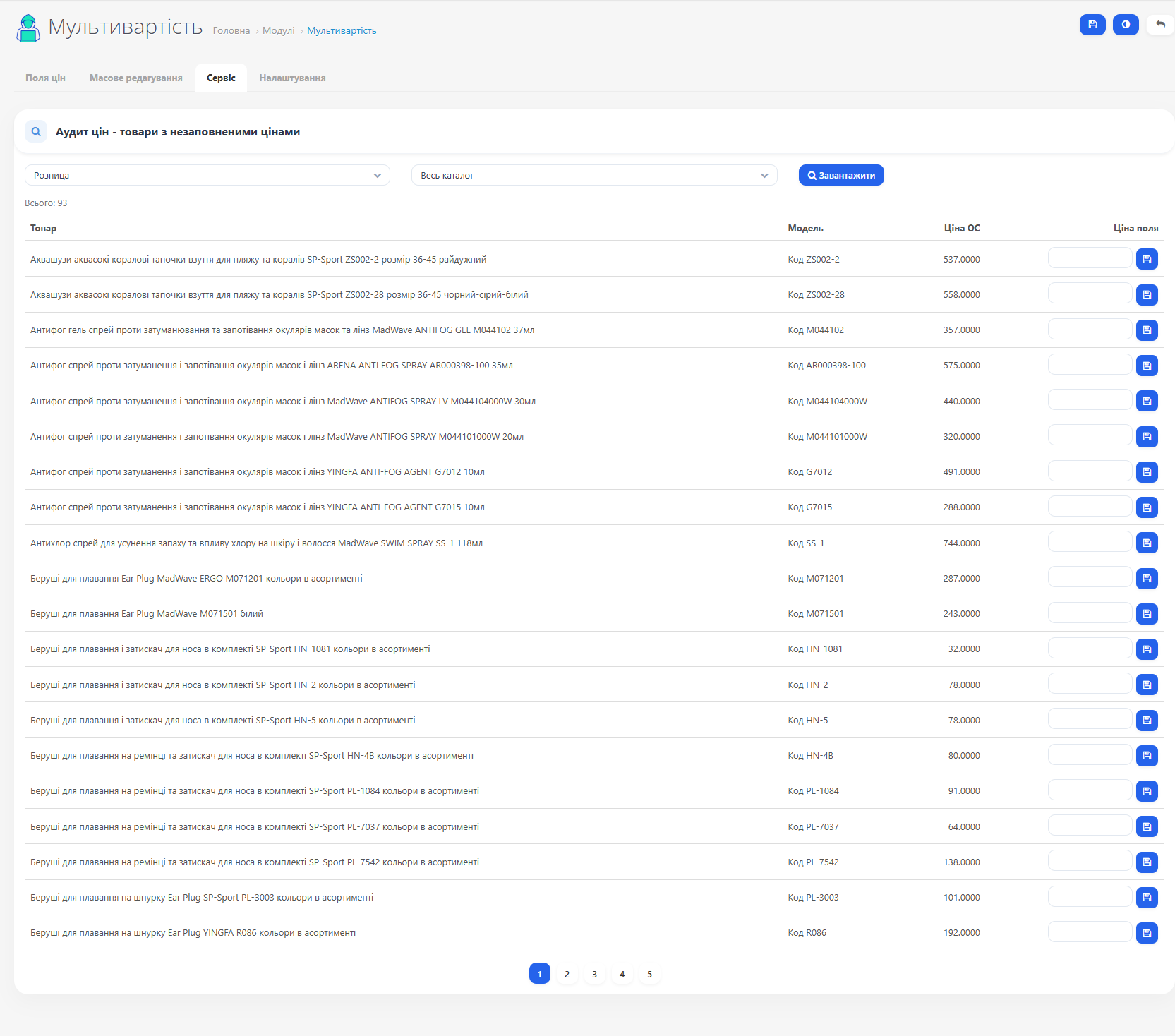
A service tab shows products where the price for a selected field is missing. Filter by field and category, with pagination. Inline price editing directly in the table row — no need to open the product page.
▸ Product page integration
Two new tabs are added to the standard product editing form:
Module Prices — a table of all active price fields with an input for each. Saved with the standard "Save" button.
Module Promotions — like the standard OC "Specials" tab, but linked to module fields. Each row: field, group, priority, promotional price, start and end date.
Module Prices — a table of all active price fields with an input for each. Saved with the standard "Save" button.
Module Promotions — like the standard OC "Specials" tab, but linked to module fields. Each row: field, group, priority, promotional price, start and end date.
CHANGELOG
New:
Fixed:
- Import existing store discounts and promotions directly into module price fields with one click (Service tab) — nothing is deleted, a new price field is created automatically if needed
- Visual badge on the product page showing which discounts were created automatically by the module
- Added an OpenCart 4 version of the module
Fixed:
- OpenCart 4: the module's price is now correctly applied in the cart and at checkout (previously the old price could be shown)
- OpenCart 4: bulk promotion creation for products not linked to a separate price field